
Professional Flight Map With Aviation Charts
Navigate with confidence using real-time GPS tracking on sectional charts, IFR charts, and approach plates. Complete airspace awareness with terrain display.
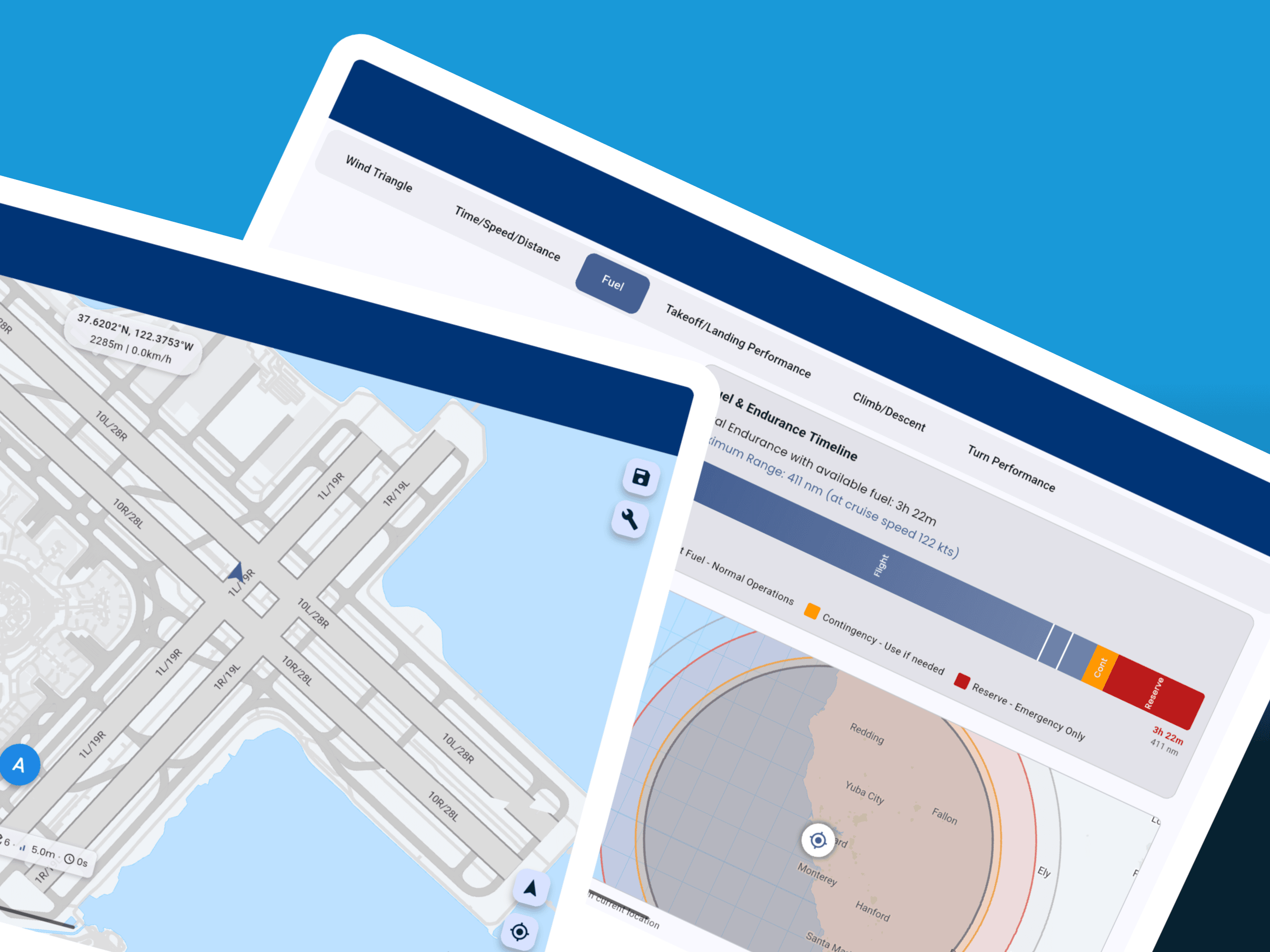
Complete Navigation Solution
Sectional, TAC, IFR Low/High, and approach plates. Updated every 28 days with current AIRAC cycle. Download for offline use during flight.
Real-time position with accuracy indicator. Track up or north up orientation. Breadcrumb trail shows your flight path history.
Class B, C, D, and special use airspace clearly marked. Automatic alerts when approaching controlled airspace. TFR display with effective times.
Color-coded terrain elevation with obstacle warnings. Configurable alerts for terrain proximity. Profile view shows terrain along your route.
NEXRAD radar, METARs, TAFs, and PIREPs on the map. Cloud tops, icing levels, and turbulence forecasts. Updated weather along your route.
ADS-B traffic when connected to compatible receiver. Shows altitude, speed, and climb rate of nearby aircraft. Collision alerts for converging traffic.
Advanced Navigation Features
Map Orientation & Display
- ✓ Track-Up Mode: Map rotates with your heading for intuitive navigation
- ✓ North-Up Mode: Traditional orientation with fixed north
- ✓ Split-Screen View: Display two chart types simultaneously
- ✓ Night Mode: Red or dark theme for night vision preservation
- ✓ Auto-Zoom: Adjusts map scale based on speed and phase of flight
Navigation Tools
- ✓ Rubber-Band Routing: Drag route legs to modify flight path
- ✓ Range Rings: Configurable distance circles for navigation
- ✓ Bearing Lines: Quick bearing and distance to any point
- ✓ Track History: Breadcrumb trail shows your flight path
- ✓ Nearest Airports: Quick access to nearby landing options
Alerts & Warnings
- ✓ Airspace Proximity: Alerts when approaching controlled airspace
- ✓ Terrain Warnings: Configurable alerts for terrain proximity
- ✓ TFR Alerts: Temporary Flight Restriction notifications
- ✓ Traffic Alerts: Collision warnings for converging aircraft
- ✓ Off-Course Alerts: Notification when deviating from route
Data Management
- ✓ Selective Downloads: Choose only the charts and regions you need
- ✓ Auto-Updates: Background downloads of new chart editions
- ✓ Storage Management: Clear old charts and manage space
- ✓ Custom Imports: Import your own georeferenced charts
- ✓ Data Sync: Synchronize charts across multiple devices
Aviation Charts for Every Flight
Pilot Kit's moving map provides comprehensive chart coverage for VFR and IFR operations worldwide. All charts are geo-referenced for accurate GPS positioning and updated with each AIRAC cycle to ensure current information.
VFR Charts
- Sectional Charts: 1:500,000 scale for cross-country navigation
- Terminal Area Charts (TAC): 1:250,000 scale for busy airspace
- World VFR Charts: 1:1,000,000 scale for long-distance planning
- Helicopter Route Charts: Specialized charts for rotorcraft operations
- Flyway Planning Charts: VFR corridors through Class B airspace
IFR Charts
- IFR Low Altitude: Below 18,000 feet with victor airways
- IFR High Altitude: Jet routes and high altitude airways
- Area Charts: Detailed terminal area depictions
- Departure Procedures (SID): Standard instrument departures
- Arrival Procedures (STAR): Standard terminal arrivals
- Approach Plates: ILS, GPS, VOR, and visual approaches
Coverage & Features
- US, European, Canadian, and Australian charts
- Auto-chart selection based on flight phase
- Night mode and split-screen view
- Custom chart imports supported
Technical Specifications
| Parameter | Specification |
|---|---|
| GPS Accuracy | ±5 meters (typical) / ±16 feet |
| GPS Update Rate | 1 Hz (once per second) |
| Chart Resolution | Up to 300 DPI |
| Chart Formats | GeoTIFF, PDF, KMZ, proprietary |
| Offline Storage | Unlimited charts (device memory limited) |
| Supported Platforms | iOS 14+, Android 8+, HarmonyOS |
| Map Orientation | Track up, North up, Free rotation |
| Map Layers | Base map, Airspace, Terrain, Weather, Traffic |
| Track Recording | Unlimited with GPX/KML export |
| Battery | Optimized for 4+ hours continuous use |
Compare with Other EFB Apps
See how Pilot Kit's moving map compares to ForeFlight, Garmin Pilot, and FltPlan Go. All features based on current premium subscriptions as of 2024.
| Feature | Pilot Kit | ForeFlight | Garmin Pilot | FltPlan Go |
|---|---|---|---|---|
| Sectional Charts | ✅ | ✅ | ✅ | ✅ |
| IFR Charts | ✅ | ✅ | ✅ | ✅ |
| Approach Plates | ✅ | ✅ | ✅ | ✅ |
| Terrain Display | ✅ | ✅ | ✅ | ✅ |
| Traffic (ADS-B) | ✅ | ✅ | ✅ | ✅ |
| Weather Overlay | ✅ | ✅ | ✅ | ✅ |
| Offline Mode | ✅ Full | ✅ Full | ✅ Full | ⚠️ Limited |
| Android Support | ✅ | ❌ | ✅ | ✅ |
| Price | Free-$149/yr | $239/yr | $149/yr | Free |
Notes:
- Prices reflect annual subscription costs for premium/pro tiers
- All apps support basic VFR charts; premium features may require subscriptions
- Pilot Kit offers a free tier with essential VFR charts and navigation
- Feature availability may vary by region and subscription level
How to Use Flight Map Navigation
Download Charts
While connected to WiFi, download charts for your flight area. Select chart types (sectional, IFR, approach plates) and regions. Charts are stored for offline use and automatically updated when new cycles are available.
Load Your Route
Enter your flight plan or load a saved route. Add waypoints by identifier or tap on the map. The route appears as a magenta line with distance and time calculations for each leg.
Enable GPS
Allow location services to see your position on the map. A blue aircraft icon shows your location with a vector line indicating direction of travel. GPS accuracy is displayed for confidence in position.
Configure Display
Choose track-up for intuitive navigation or north-up for traditional orientation. Enable terrain shading, weather overlay, and traffic display. Adjust map detail level and enable night mode if needed.
Navigate Your Flight
Follow the magenta line with real-time guidance. Distance, bearing, and ETA to next waypoint display at the top. Tap any airport for information. Use rubber-band routing to modify your path. The map automatically pans to keep your position centered.
Frequently Asked Questions
Regional chart coverage typically requires 1-2 GB of storage. Sectional charts are 50-100 MB each, IFR low/high charts are similar in size, and approach plates are approximately 1 MB per airport. You can selectively download only the charts you need to manage storage efficiently.
Yes! The moving map provides full offline navigation capabilities once charts are downloaded. GPS tracking, route display, and all chart features work without internet connection. Only weather overlays and chart downloads require internet connectivity.
IFR charts (enroute and approach plates) are updated every 28 days following the AIRAC cycle. VFR sectional charts are updated every 56 days. The app will automatically notify you when new chart editions are available for download.
GPS position accuracy is typically 5-15 meters depending on your device's GPS receiver quality and satellite visibility. The app displays a real-time accuracy indicator so you know the confidence level of your position. For best results, ensure clear sky visibility.
Yes! When connected to a compatible ADS-B receiver, the map displays nearby aircraft traffic with altitude, speed, and climb rate information. Weather overlays include NEXRAD radar, METARs, TAFs, PIREPs, cloud tops, and icing forecasts (requires internet or ADS-B weather).
Pilot Kit supports all major chart types: VFR Sectional, Terminal Area Charts (TAC), IFR Low and High Altitude Enroute, Area Charts, Departure Procedures (SID), Arrival Procedures (STAR), and Approach Plates (ILS, GPS, VOR, visual). Charts are available for US, European, Canadian, and Australian airspace.
The moving map typically consumes 8-12% battery per hour with screen brightness at 50%. Battery usage varies based on map refresh rate (1-5 Hz adjustable), screen brightness, and whether you're using traffic/weather overlays. For longer flights, we recommend connecting to aircraft power or using a battery pack.
Navigate with Confidence
Professional moving map navigation with all the charts you need. Start with free VFR charts, upgrade for complete IFR coverage.
Download Free App